[UPDATED] It was a great week in San Francisco! The #ITDEVConnections conference is a high-quality event that focuses on real-world technical sessions and the conference delivered. Both of my sessions had good participation from attendees – I enjoyed answering questions and getting to know everyone. My first session topic was how you can plan and execute a transition from SharePoint Designer workflows to Microsoft Flow. The slides are available via the IT/Dev Connections website, but there was a question regarding the functionality gaps between Designer and MS Flow – in the session I mentioned a website to keep track of the gaps and here is the link: https://ms.flow.microsoft.com/en-us/documentation/release-notes/#known-issues-and-resolutions I also mentioned…
-
-
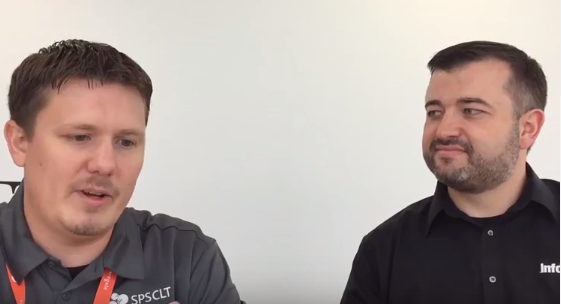
Talking SharePoint Management Console at SPS Charlotte with Cory Williams
I sat down with Cory Williams [Twitter] at SharePoint Saturday (SPS) Charlotte to get his thoughts on Office 365 administration. Cory is one of the organizers of SPS Charlotte and was a speaker as well! 00:44 Pay attention to the Office 365 Message Center 01:17 Shameless plug for the REgarding 365 web show Office 365 Message Center: The week that was 01:47 New SharePoint Console 02:04 More dates please! 02:35 Release schedule – when are new features showing up in my Office 365 tenant 02:44 Reminders for new features and changes 03:36 Let's tie Microsoft Flow into the Office 365 Message Center
-
Memphis PASS User Group – September 14, 2017
On September 14th 2017, I will be speaking to the Memphis PASS User Group! I will present SharePoint Business Intelligence options, including out of the box features, Excel, and Power BI. Find details on the topic, as well as register on the Meetup page. [UPDATE] Thank you to the great group tonight – I enjoyed presenting and I hope you will have me back to dive deeper into some of the technologies we discussed. Great meeting with @danielglenn discussing evolution of BI at the Memphis Power BI / PASS group tonight — Daniel R. Evans (@danthebiman) September 15, 2017 Here are my slides: Business Intelligence Using SharePoint and Power BI –…
-
SharePoint Fest Seattle 2017
I am once again happy to announce I will be speaking at SharePoint Fest – this time in Seattle on August 10th and 11th. My first presentation will be Transition Your SharePoint Designer Workflows to Microsoft Flow on August 10th – with SharePoint Designer being deprecated, what are you supposed to do with your existing workflows? We will discuss how to transition your workflows to Microsoft Flow so you can begin to gain the benefits of the ever-expanding service. On August 11th, I will present Business Intelligence Using SharePoint and Power BI – we will discuss all the Business Intelligence options we get out of the box with SharePoint and…
-
Atlanta SQL Saturday 2017
I am happy to announce that I'll be speaking and attending SQL Saturday Atlanta on July 15th. As one of the largest SQL Saturday events in the USA, we always have a great time of learning and meeting new people. Please join me – Register via the #SQLSatAtlanta site. [UPDATED] Thank you everyone that attended my session – a big group with lots of great questions!
-
Digital Workplace Conference – Auckland, New Zealand
During the SharePoint Summit this month, Microsoft shared the road-map for things to come for SharePoint on-premises and SharePoint Online. If you haven't heard all the announcements, go watch the recording now. After watching and learning about what was coming, I have a few questions I would like to get answered and my friend Darrell Webster has arranged a way for us all to get those answers! Darrell is participating in the Digital Workplace Conference in Auckland New Zealand and has invited a few of his Microsoft MVP friends to be part of a live panel asking questions of Microsoft's own Mark Kashman. I will join Christian Buckley, Alistair Pugin,…
-
New Simple Approval Flows In SharePoint Libraries
Microsoft announced today the newest improvement in workflow for the SharePoint platform – easy-to-use approval workflows built-in that will enable you to route a document for approval and give you the ability to give a custom message. In my workflow presentations, I talk about having a simple approval workflow being a great first step but we need a better user experience than what we have been given out-of-the-box with SharePoint in the past. We need the user to be able to approve/deny directly within their email client, without having to go to a SharePoint page, edit the task, complete the task, and then save it. Too many steps!! With this…
-
Using PowerApps to Build SharePoint List Forms
Today Microsoft announced the next step for PowerApps integration with SharePoint – using PowerApps forms within the context of a SharePoint list or library. This is another way PowerApps is becoming a strong successor to InfoPath forms and will give your users a rich viewing, creating, and editing experience right within their SharePoint library or list. This feature will be coming to SharePoint Online & Office 365 this Summer and I expect we will immediately start using the functionality within my client organizations to improve the user experience. I highly recommend watching the new Microsoft Mechanics video “Zero code business process apps in SharePoint with PowerApps and Microsoft Flow” to…
-
SQL Saturday Pensacola 2017
Join me on June 3rd at SQL Saturday Pensacola! I will be teaching the Keys to Successful SharePoint Administration for DBAs and if you are in town I would love for you to attend my session. Registration is open now! SQLSat Pensacola Info
-
Music City Code 2017
The Music City Code conference is once again taking place in Nashville and I am excited to be speaking! I was part of a community panel for the 2016 event, and this year I am giving a presentation on using Power BI to bring dashboards to SharePoint. My first session will be Jun 2nd at 9:30am in room Rand 306. I will also be joining Lisa Anderson's session as part of a Microsoft MVP panel at 2:40pm on Jun 2nd in room Alumni Classroom 201. Hope to see you at both sessions! The event runs from June 1-3 – registration is now open! Music City Code Info [UPDATE] Thank you…