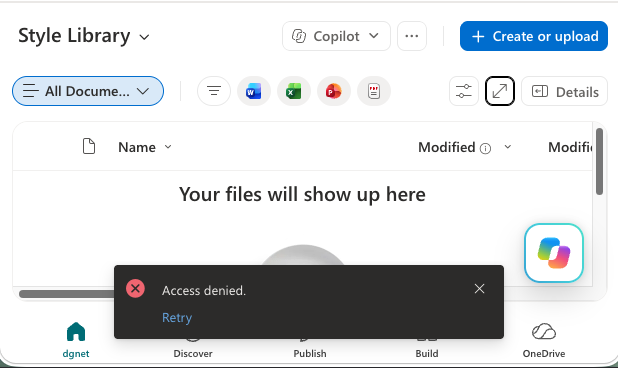
Recently I was helping troubleshoot an issue in SharePoint Online where a site owner needed to delete files in the Style Library but was unable to upload, modify, or delete anything. So what could cause a site admin to get the error message Access Denied in Style Library? At first glance it looked like a permissions problem. The user had full control of the site, could work everywhere else without issue, and even had access to the Style Library itself. I even looked at Microsoft Purview to see if it was causing the issue. The real culprit turned out to be a setting that catches many SharePoint administrators off guard:…
-
-
Inline Automation Right Where You Work: SharePoint Quick Steps Column
Microsoft announced the new Quick Steps column type in SharePoint. It brings lightweight, no-code automation directly into the list view. This allows you to kick off automations without leaving the list view.
-
SharePoint User Management – Get SharePoint Site Users
While the Microsoft 365 admin center provides a user-friendly interface for many tasks, there are times when you need more automation, customization, or bulk operations. That's where PowerShell comes in handy. That's why I created a tool to help me Get SharePoint Site Users. It is designed to retrieve and export user information from a SharePoint Online site, making it a valuable tool for admins and IT pros.
-
Resetting Item-Level Permissions in SharePoint Online
A clean, focused PowerShell tool that resets every file and folder in a document library to inherit permissions from the library itself. If you've ever managed a large SharePoint document library, you've probably run into the dreaded permission creep problem. Users share individual files or folders with "specific people," someone accidentally breaks inheritance on a folder, migrations bring over messy permissions, or years of organic sharing leave you with thousands of items that have unique role assignments.
-
List All SharePoint Site Files with PowerShell
Managing files across multiple SharePoint sites in Microsoft 365 can be challenging, especially when you need visibility into all files for compliance, auditing, or migration purposes. To simplify this process, I’ve created a PowerShell script that lists all files across your SharePoint sites. This post will explain what the script does, why it’s useful, and how you can deploy it.
-
Find SharePoint URL with Site ID
Many moons ago, I was asked by Microsoft to provide the site ID for a SharePoint site from my tenant. I had noted the site ID, but I did not make note of the URL of the site. So that left me with the question 'How do I find the SharePoint URL when I have the Site ID?' Read more to learn two ways to find it!
-
Goodbye Viva Topics
Microsoft announced that Viva Topics will be retired and disabled in February 2025. So, what is the plan for knowledge management after this announcement of the retirement of Viva Topics? Read more for my thoughts on benefits and gaps of the move.
-
System Column Names in SharePoint & Microsoft Lists
Have you ever created a column in a SharePoint list or library and noticed that the system name is different from the name you gave it? This is because column names in SharePoint have a system name that does not include spaces. Read more on best practices to use system names appropriately and how to find them!
-
Creating a Budget for Microsoft Syntex & SharePoint Premium
Microsoft Syntex is a powerful tool that can help you automate your content-based processes. You will need to create a budget for Syntex because of it's pay-as-you-go licensing. This post (with short video) shows you how!
-
The POWER of Microsoft Lists and Power BI – Guy in a Cube
My second visit with Adam at Guy in a Cube highlights the benefits of using data from a Microsoft List in Power BI. Many organizations have data in their SharePoint and Microsoft Lists. I show how you can visualize that data using Power BI - in more than one way!